
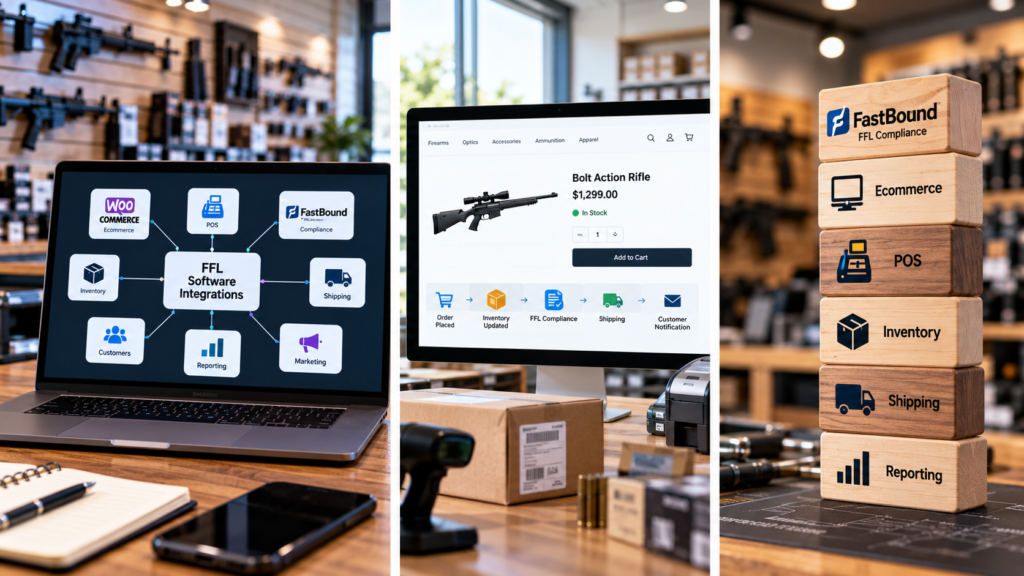
Firearms retailers rarely operate from one piece of software.
A dealer may use one platform for ecommerce, another for point of sale, dedicated technology for FFL compliance, multiple distributor feeds, a payment gateway, shipping software, marketing tools, and analytics.
The challenge is getting those systems to communicate.
That is where FFL software integrations become important.
Instead of forcing employees to enter the same information repeatedly, integrations allow business systems to exchange the data they need. Orders can move into fulfillment workflows, inventory can update across sales channels, and specialized compliance systems can remain connected to retail operations.
For a growing firearms dealer, FFL software integrations can turn a collection of separate applications into a connected technology stack.
What Are FFL Software Integrations?
FFL software integrations are connections between the different applications used by firearms businesses.
These connections can allow systems to exchange information such as:
- Products
- Inventory
- Orders
- Customers
- Transactions
- Serial-number data
- Distributor information
- Shipping information
- Reporting data
- Compliance-related records
The objective is not necessarily to put everything into one application.
Instead, FFL software integrations allow specialized systems to continue doing what they do best while reducing the amount of data employees must move manually.
Why Integrations Matter for FFL Dealers
Every manual handoff creates friction.
Imagine an online sale that requires an employee to open the ecommerce system, copy information into the POS, update inventory, check a separate compliance platform, create shipping information, and then update the customer.
That process may work when order volume is low.
It becomes difficult to scale.
FFL software integrations can automate many of those connections so employees spend more time handling exceptions and less time copying information between screens.
The result can be a cleaner workflow and more consistent business data.
FastBound and the Integration Model
FastBound is a useful example of how specialized compliance software can fit into a broader technology stack.
FastBound states that its platform integrates with dozens of POS, ERP, and ecommerce applications and provides an open API for other software providers.
That approach illustrates an important principle behind FFL software integrations.
The compliance platform does not need to become the ecommerce platform, POS, marketing platform, and shipping system.
Instead, each application can maintain its specialized role while exchanging information with the others.
FastBound’s integrations and partners directory provides examples of platforms designed to work within that connected environment.
Connecting Ecommerce and Compliance
For online firearms retailers, ecommerce is often where the customer relationship begins.
A customer finds a product, places an order, selects the appropriate fulfillment path, and provides information required for processing.
The ecommerce system then needs to communicate with operational and compliance tools.
Strong FFL software integrations can reduce the number of manual steps between the website and the systems employees use behind the scenes.
The exact workflow depends on the dealer’s software stack.
The important point is that online orders should enter the operational workflow in a predictable way.
Connecting POS and Compliance
The physical retail counter is another major integration point.
FastBound describes POS integration workflows in which acquisitions can synchronize with POS inventory and dispositions can move into FastBound as pending sales for further processing.
This is a good example of why FFL software integrations matter.
The POS handles retail activity.
The compliance platform handles specialized compliance functions.
When they communicate, employees do not need to recreate every transaction manually in multiple systems.
That separation can also give dealers more flexibility when choosing retail technology.
Inventory Integration
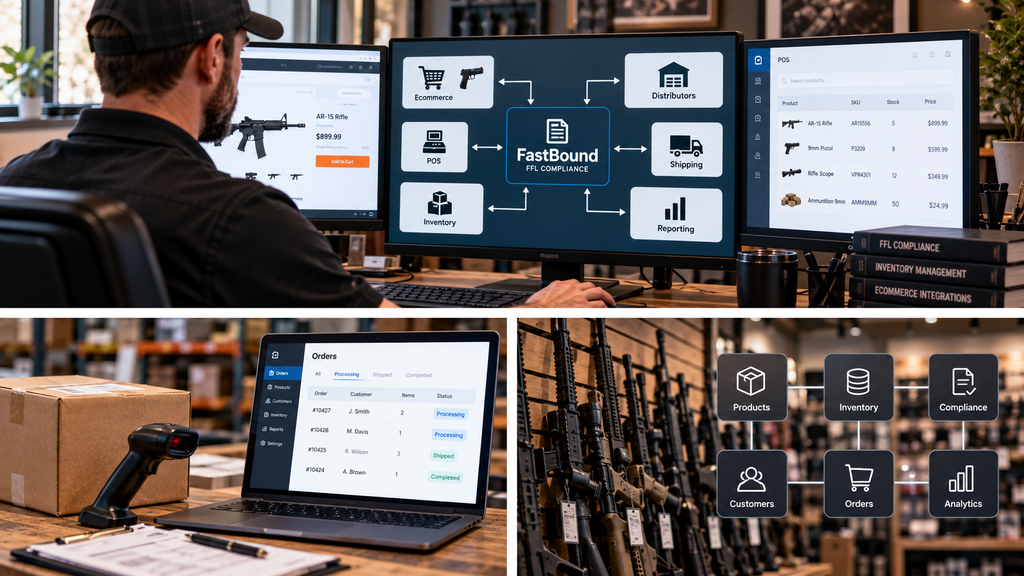
Inventory touches nearly every system inside a firearms retail business.
The ecommerce website needs to know what can be sold.
The POS needs current stock.
Distributor feeds need to update availability.
Compliance systems may need transaction-related inventory information.
FFL software integrations help keep those systems aligned.
Without integration, different platforms can develop different versions of inventory reality.
One system may show five units while another shows three.
Dealers that need deeper stock control should also review how gun inventory software manages local inventory, distributor availability, ecommerce stock, and multi-channel synchronization.
That creates overselling, canceled orders, employee confusion, and customer frustration.
Local Inventory vs. Distributor Inventory
Firearms retailers often work with two broad inventory sources:
- Products physically owned by the dealer.
- Products available through distributors.
Those sources should not always behave the same way.
Good FFL software integrations can help preserve that distinction.
Local inventory may be immediately available for an in-store or ecommerce transaction.
Distributor inventory may depend on supplier availability, account rules, shipping timelines, and fulfillment processes.
The systems need enough information to determine where stock is coming from and how it should be represented to customers.
Distributor Feed Integrations
Distributor feeds can dramatically increase the size of an ecommerce catalog.
But a large feed is useful only when the retailer can control it.
FFL software integrations can connect distributor information with product catalogs, inventory rules, pricing logic, and ecommerce availability.
Retailers may need rules around:
- Preferred distributor
- Cost
- Margin
- Stock threshold
- Brand
- Product category
- Product visibility
- Duplicate SKUs
- Fulfillment priority
The objective is to automate the useful parts of supplier data without losing control of the storefront.
POS and Ecommerce Integration
Many dealers sell both online and inside a physical store.
Those channels share inventory and customers.
That makes the connection between POS and ecommerce one of the most important FFL software integrations in the stack.
When an item sells at the counter, online availability should update according to the dealer’s inventory rules.
When a website order consumes stock, store employees need to see that change.
The closer these systems stay synchronized, the lower the chance of selling the same inventory twice.
Retailers with a physical storefront should also compare gun store POS software based on inventory sync, ecommerce connectivity, payments, reporting, and staff workflows.
Payment Gateway Integration
Payments are another important connection.
Firearms businesses need payment providers compatible with their industry and business model.
FFL software integrations should allow the ecommerce and retail systems to communicate with appropriate payment gateways without forcing the dealer into an unsuitable provider.
Retailers should understand:
- Supported gateways
- Processor compatibility
- Transaction fees
- Platform fees
- Chargebacks
- Refund workflows
- Payment status synchronization
Payment information should move cleanly into the order workflow without creating unnecessary manual reconciliation.
Shipping Integration
Shipping platforms are often separate from ecommerce and POS systems.
That makes shipping another strong candidate for automation.
FFL software integrations can transfer appropriate order information into shipping tools, reducing manual address entry and fulfillment mistakes.
The shipping system may then return tracking data to the ecommerce platform.
Customers can receive updates while employees maintain visibility into order status.
The exact workflow can differ depending on product type and fulfillment requirements.
Customer Data Integration
Customer data can exist in several places.
A retailer may have customer profiles in the POS, ecommerce store, email marketing platform, CRM, and customer-support tools.
Without coordination, the same person may appear as several separate records.
FFL software integrations can help move useful customer data between systems where appropriate.
This can improve:
- Order lookup
- Customer service
- Email marketing
- Purchase history
- Customer segmentation
- Reporting
The goal is not to move every piece of data everywhere.
It is to provide each system with the information needed to perform its role.
Marketing Integrations
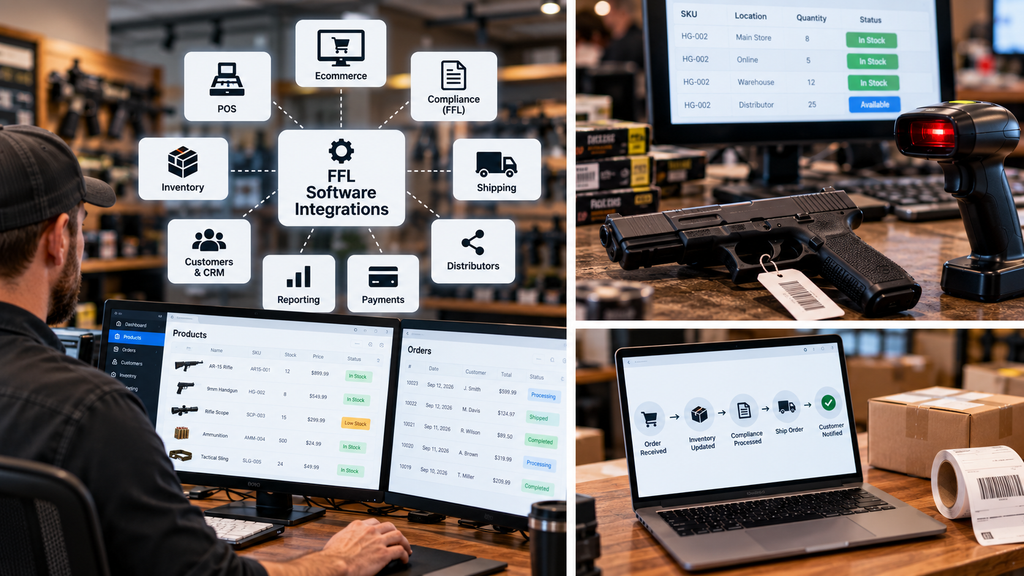
Marketing becomes more effective when it connects with actual commerce activity.
A dealer may want to know whether an email subscriber purchased, which advertising campaign generated an order, or which content page led to a conversion.
FFL software integrations can connect ecommerce activity with marketing and analytics tools.
That makes it easier to measure revenue rather than only clicks or traffic.
For online-focused dealers, this can become a major advantage because marketing decisions are based on actual customer behavior.
Reporting Integrations
Different systems often contain different pieces of business data.
The POS may contain in-store sales.
The ecommerce platform contains online orders.
A distributor feed contains supplier availability.
Analytics tools contain traffic and conversion information.
FFL software integrations can help bring those sources together for reporting.
Management can then answer broader questions such as:
- Which sales channel is growing?
- Which products perform best online?
- Which distributor generates the most orders?
- Which categories have inventory problems?
- Which marketing campaigns produce revenue?
The value of an integration is not only operational.
It can also improve decision-making.
APIs Are the Foundation of Many Integrations
An application programming interface, or API, allows software applications to exchange information in a structured way.
For dealers evaluating technology, API availability can be extremely important.
FFL software integrations built through APIs can allow ecommerce, POS, inventory, and specialized systems to communicate without requiring employees to move information manually.
FastBound specifically highlights its open API as part of its integration strategy.
A strong API does not guarantee that every integration already exists, but it gives developers and technology providers more flexibility to create connections.
Webhooks Can Make Integrations Faster
Some systems also use webhooks.
A webhook can notify another application when an event happens.
For example, a system might send information when a new order is placed or when inventory changes.
FastBound has documented webhook capabilities for integration workflows, including acquisition-related automation.
For FFL software integrations, event-driven communication can reduce the need for systems to constantly check each other for updates.
That can make synchronization more efficient.
Avoiding Duplicate Data Entry
Duplicate entry is one of the clearest signs that an integration is missing.
If employees repeatedly enter the same product, customer, order, or transaction information into multiple systems, there may be an opportunity for automation.
Effective FFL software integrations should reduce those repeated steps.
That improves efficiency, but it can also improve data consistency.
Every time information is retyped, another opportunity for error is introduced.
Integrations Should Have Clear Ownership
Automation can create problems if nobody understands which system controls the data.
For example, which application controls product price?
Which system controls available quantity?
Which system creates the customer record?
Which system owns order status?
Before implementing FFL software integrations, the dealer should define a source of truth for each major data type.
That prevents systems from repeatedly overwriting each other.
Monitor Integration Failures
No integration should be treated as permanently flawless.
APIs change.
Credentials expire.
Distributor feeds fail.
Plugins update.
Network interruptions happen.
Good FFL software integrations should make failures visible.
Dealers should have access to logs, alerts, synchronization status, or another method of identifying when information stops moving correctly.
A silent failure can be more dangerous than a visible one because employees may continue trusting outdated data.
Security and Permissions
Connected systems increase convenience, but they also increase the number of places where access needs to be controlled.
FFL software integrations should use appropriate authentication and permissions.
An integration should have access only to the information it actually needs.
Dealers should also understand:
- Who controls API credentials
- Where credentials are stored
- Which employees have integration access
- How access is revoked
- Whether activity is logged
Integration convenience should not come at the expense of basic security practices.
Avoid Vendor Lock-In
One benefit of an integration-first strategy is flexibility.
If ecommerce, POS, compliance, inventory, and marketing are separate but connected systems, the dealer may be able to replace one component without rebuilding everything.
This is another reason FFL software integrations can matter strategically.
FastBound itself describes its integration approach as allowing dealers to select or change POS systems without tying compliance data entirely to one retail platform.
That type of portability can become important as a business grows.
Build the Stack Around Specialized Tools
The ideal firearms technology stack does not necessarily have the fewest applications.
It has the fewest unnecessary manual connections.
A specialized compliance system can handle compliance.
A strong ecommerce platform can handle online commerce.
A POS can handle retail transactions.
A distributor platform can provide supplier data.
FFL software integrations connect those specialized systems into a broader business workflow.
A connected gun shop software stack can bring ecommerce, POS, inventory, distributor feeds, payments, shipping, and compliance workflows into one operating environment.
That approach allows dealers to choose tools based on capability rather than forcing every business function into one platform.
How to Plan an Integration Strategy
Before adding new technology, map the systems already in use.
List:
- Ecommerce
- POS
- Compliance software
- Inventory sources
- Distributors
- Payment gateway
- Shipping
- Accounting
- CRM
- Email marketing
- Analytics
Then identify where employees manually move information.
Those points are the strongest candidates for FFL software integrations.
Start with the handoffs that consume the most time or create the greatest operational risk.
For many dealers, inventory and order synchronization should be near the top of that list.
Dealers evaluating the broader retail operation should also review what gun store software needs to support across inventory, ecommerce, customers, reporting, and employee workflows.
The Goal Is a Connected Firearms Business
Technology should simplify operations.
It should not create more dashboards that employees need to check manually.
The best FFL software integrations connect specialized applications so information moves through the business with fewer unnecessary handoffs.
A customer order can begin on the ecommerce website.
Inventory can update.
The retail and fulfillment systems can receive the information they need.
The compliance workflow can remain inside specialized FFL technology.
Shipping and customer communication can continue from there.
When these systems work together, the dealer gains a more scalable foundation.
For the full strategic overview of the technology stack, read our complete guide to FFL software.
That is the real value of integration: not simply connecting software, but connecting the business processes behind it.