
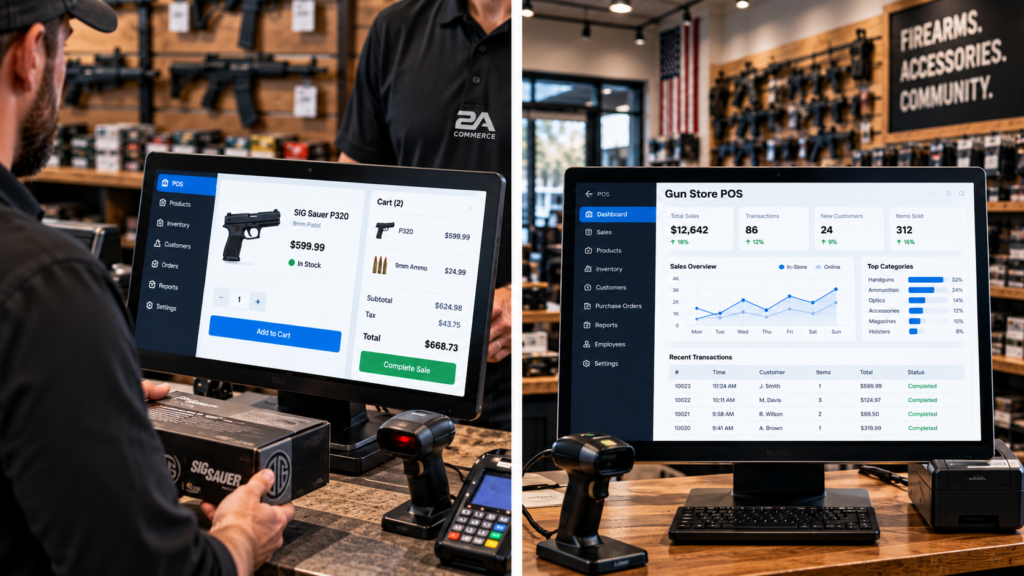
The point-of-sale system sits at the center of daily retail operations. Every transaction, inventory adjustment, customer interaction, and employee workflow eventually touches it.
For firearms dealers, that makes choosing gun store POS software especially important.
A conventional retail system may handle checkout perfectly well, but a firearms business has additional requirements around inventory accuracy, specialized payment processing, ecommerce synchronization, employee permissions, and integration with FFL-specific operational systems.
The right gun store POS software should make the retail side of the business faster without creating more work behind the scenes.
What Is Gun Store POS Software?
Gun store POS software is a retail system used by firearms dealers to manage in-store sales and related business operations.
Depending on the platform, it may include:
- Checkout
- Product lookup
- Inventory management
- Customer records
- Employee permissions
- Sales reporting
- Payment integrations
- Returns
- Purchase orders
- Ecommerce synchronization
- Multi-location inventory
- Integrations with firearms-industry tools
The key difference is not simply that the software can ring up a sale.
It is whether gun store POS software can fit into the broader technology stack used by an FFL.
The POS Should Connect With Inventory
The first requirement is accurate inventory.
When a product sells at the counter, stock should update immediately or close to immediately.
If the POS and ecommerce website maintain separate inventory quantities, problems are almost inevitable.
Good gun store POS software should keep in-store activity synchronized with online availability.
That matters especially for products with limited stock.
If the last unit sells in the physical store, the website should not continue showing that product as available.
Dealers that need deeper control over stock accuracy should also review how gun inventory software connects local inventory, ecommerce, and distributor availability.
Inventory synchronization is one of the biggest practical reasons to choose a POS system based on integration rather than checkout features alone.
Ecommerce Integration Is Essential
Many firearms dealers operate both a physical store and an ecommerce website.
Those two channels should not behave like separate businesses.
The best gun store POS software should integrate with ecommerce so products, orders, inventory, and customer activity can move between systems.
That creates a better experience for both employees and customers.
A staff member should be able to understand whether a product sold online, in-store, or through another channel without manually comparing multiple databases.
The closer the systems work together, the less duplicate work employees need to perform.
A broader gun shop software stack can help connect POS activity with ecommerce, payments, shipping, reporting, and compliance workflows.
Product Lookup Needs to Be Fast
A busy retail counter cannot tolerate slow product searches.
Employees need to find products by SKU, UPC, name, brand, category, or barcode quickly.
Effective gun store POS software should make product lookup simple even when the catalog contains thousands of items.
This is particularly important for stores carrying firearms, ammunition, optics, magazines, accessories, apparel, safes, and other categories.
The system should help employees locate the correct product without scrolling through an unorganized catalog.
Fast product lookup shortens transactions and reduces checkout errors.
Barcode Support Matters
Barcode scanning is one of the simplest ways to improve checkout speed.
A scanner can reduce manual searching and help ensure the correct SKU is selected.
Good gun store POS software should support barcode workflows that fit the dealer’s catalog.
That may include manufacturer UPCs, internal barcodes, or labels generated by the store.
Barcode support can also help with inventory receiving and stock counts.
The more products a retailer carries, the more valuable this becomes.
Customer Records Should Be Useful
Retailers often collect customer information for receipts, orders, support, and marketing.
The POS should make that information useful without forcing staff to recreate customer records repeatedly.
Strong gun store POS software may allow customer profiles to connect in-store and online purchasing history.
That gives the business a better view of repeat customers.
It can also support email marketing, customer service, order lookup, and loyalty initiatives where appropriate.
The goal is to treat the customer relationship as continuous across channels.
Employee Permissions Are Important
Not every employee should have the same access.
A cashier may need to process sales. A manager may need to issue refunds. An owner may need full reporting and configuration access.
The right gun store POS software should allow role-based permissions.
That reduces accidental changes and improves accountability.
Retailers may also want to control access to:
- Discounts
- Returns
- Price overrides
- Inventory adjustments
- Reports
- Customer exports
- Settings
- Integrations
As the business grows, permission management becomes more important.
Payment Processing Needs Firearms Compatibility
Payment processing is one area where firearms dealers need to be especially careful.
Not every provider supports firearms businesses.
That means gun store POS software should work with payment processors and gateways compatible with the merchant’s business model.
Dealers should understand:
- Which processors are supported
- Hardware compatibility
- Processing fees
- Chargeback procedures
- Gateway requirements
- Contract terms
- Restrictions on specific product categories
A POS system should not force a retailer into a payment arrangement that creates long-term limitations.
Reporting Should Be Practical
A POS collects a huge amount of business data.
The question is whether the dealer can actually use it.
Strong gun store POS software should provide reporting that helps answer real operational questions.
For example:
- What sold today?
- Which categories generate the most revenue?
- Which employees processed the most transactions?
- Which products are selling slowly?
- Which products are frequently discounted?
- Which locations are performing best?
- How do in-store sales compare with ecommerce?
Retail POS platforms such as Square Retail POS emphasize inventory, customer management, reporting, and multichannel retail as core capabilities.
Those same categories are valuable evaluation points for firearms retailers, even when the dealer ultimately needs a more specialized technology stack.
Returns and Refunds Need Clear Controls
Returns are part of retail operations, but they should be controlled carefully.
The POS should record what was returned, who approved it, and how the refund was processed.
Good gun store POS software should support clear return workflows and permissions.
That is especially useful when multiple employees handle the same customer or transaction.
A documented return process can reduce confusion and make reporting more accurate.
Inventory Receiving Should Be Efficient
Retailers do not only remove inventory when products sell.
They also receive new inventory from distributors and suppliers.
The POS or connected inventory system should make receiving efficient.
Useful gun store POS software can help employees:
- Receive purchase orders
- Scan incoming products
- Update quantities
- Verify cost
- Identify discrepancies
- Assign products to locations
Receiving should not require manual adjustments across several disconnected systems.
The easier it is to bring stock into the system accurately, the more reliable the inventory becomes.
Multi-Location Support
Some dealers operate more than one retail location.
That makes inventory and reporting more complicated.
Gun store POS software should distinguish inventory by location rather than showing only one combined quantity.
Managers may need to know:
- What each location has in stock
- Which store sold a product
- Whether inventory should be transferred
- Which location performs best
- Which products move differently by location
Multi-location visibility can help dealers allocate inventory more efficiently.
Purchase Orders and Reordering
A useful POS should help with purchasing, not just sales.
If the system identifies low-stock products, staff should be able to use that information when reordering.
Good gun store POS software can help connect sales velocity with purchasing decisions.
That may include:
- Reorder points
- Low-stock alerts
- Vendor information
- Purchase orders
- Receiving
- Cost tracking
The objective is to prevent both stockouts and unnecessary overstock.
Customer Experience at the Counter
Technology should make checkout easier for customers.
A slow POS creates visible friction.
Customers notice when employees have to search through multiple systems, call another employee for information, or manually verify basic product details.
Strong gun store POS software should make the process feel straightforward.
The cashier should be able to locate products, confirm pricing, access customer information, and complete the transaction efficiently.
The customer may never think about the software, but they experience the result.
Integration With FFL Systems
A firearms retailer may use specialized software for regulated records and compliance workflows.
The POS should not interfere with those systems.
Instead, gun store POS software should integrate where appropriate so employees do not need to enter the same information several times.
The precise workflow will depend on the dealer’s chosen compliance platform and business model.
The important point is that POS selection should consider those integrations before implementation.
Choosing a POS first and discovering integration limitations later can create unnecessary operational problems.
Dealers should also understand how FFL software integrations connect POS systems with specialized compliance platforms, ecommerce, inventory, and distributor data.
Hardware Compatibility
POS software also depends on physical hardware.
That may include:
- Touchscreen terminals
- Barcode scanners
- Receipt printers
- Cash drawers
- Payment terminals
- Label printers
- Customer displays
- Tablets
When evaluating gun store POS software, dealers should understand which hardware is required and whether existing equipment can be reused.
Hardware costs can materially change the total cost of switching systems.
Cloud-Based vs. Local POS
Many modern systems are cloud-based.
That can make updates, reporting, remote management, and multi-location access easier.
Cloud-based gun store POS software can also make integrations simpler because other systems can exchange information through APIs and web services.
However, dealers should also consider internet reliability.
The POS should have a clear plan for outages or connectivity problems.
Retail operations should not become completely unusable because of a temporary network issue.
Security Matters
The POS handles sensitive business information.
That can include customer details, transaction data, employee accounts, product information, and financial reports.
Good gun store POS software should support strong account security.
Dealers should consider:
- Unique employee accounts
- Strong passwords
- Two-factor authentication where available
- Permission controls
- Automatic updates
- Secure payment hardware
- Audit logs
- Data backups
Security becomes more important as more systems connect to the same technology stack.
The Cheapest POS Is Not Always the Cheapest
Dealers often compare systems based on monthly subscription price.
That is only one part of the cost.
A cheaper POS may require more manual work, additional integrations, expensive hardware, or extra employee time.
The real cost of gun store POS software includes:
- Subscription fees
- Payment processing
- Hardware
- Setup
- Data migration
- Integration costs
- Employee training
- Maintenance
- Lost productivity
A system that saves hours every week can justify a higher monthly cost.
Avoid Closed Systems
A POS that works perfectly today can become limiting later.
A firearms retailer may eventually add a new ecommerce platform, distributor, CRM, marketing system, accounting platform, or additional store location.
That is why gun store POS software should be evaluated for flexibility.
Ask whether the platform offers:
- API access
- Existing integrations
- Data exports
- Ecommerce connectors
- Payment flexibility
- Accounting integrations
- Inventory integrations
A system should not become a barrier to future growth.
How to Compare Gun Store POS Software
The best way to compare platforms is to map actual business workflows.
Before selecting gun store POS software, document what happens from the moment inventory arrives until the customer completes a purchase.
Look at:
- Receiving
- Inventory
- Product lookup
- Checkout
- Payments
- Returns
- Ecommerce sync
- Customer records
- Employee permissions
- Reporting
- FFL integrations
- Multi-location requirements
Then test each platform against those workflows.
A feature checklist is useful, but the real question is whether the system makes daily work easier.
For a wider view of the operational requirements beyond checkout, see our guide to gun store software.
Build Around the Entire Retail Operation
The POS should not be treated as an isolated cash register.
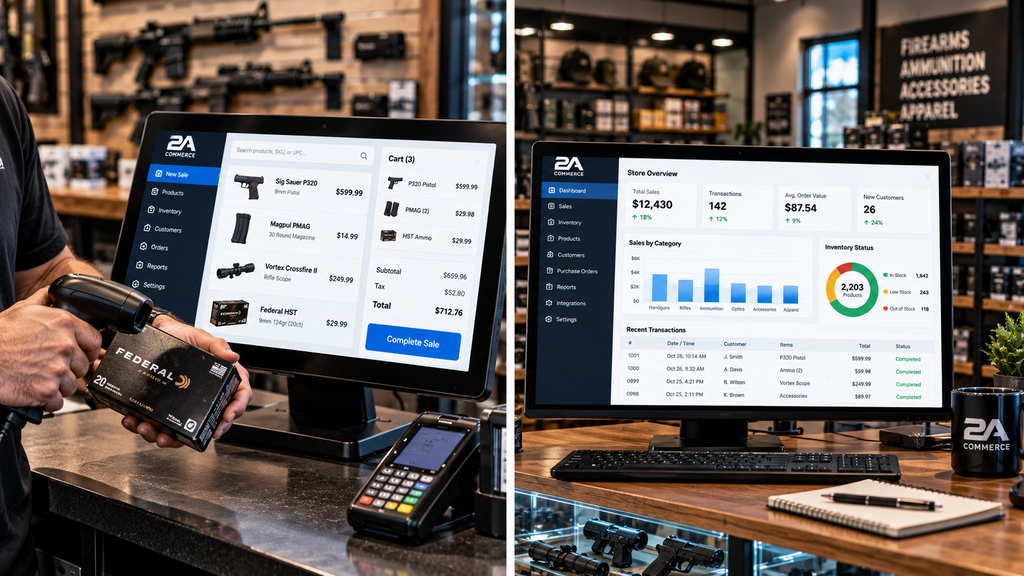
It connects directly to inventory, ecommerce, customers, payments, employees, reporting, and purchasing.
That makes gun store POS software one of the central components of a dealer’s technology stack.
A strong system reduces manual work.
A weak system creates more of it.
The best approach is to choose a POS based on how well it connects the physical store to the rest of the business.
When the POS, ecommerce platform, inventory system, payment stack, and specialized FFL tools work together, the dealer gains a much clearer view of operations.
For the complete technology-stack perspective, read our guide to FFL software.
That connection is what turns a point-of-sale system into a true retail platform.